

How to Fill Out the Value Manifest in VUCEM | TradeWorks
The Electronic Value Manifest (MVE) has been mandatory since June 1, 2026. And the question we hear most isn’t how to submit it — it’s whether what was submitted is actually correct.
Several fields cause real confusion among importers and customs brokers alike. VUCEM doesn’t help: the system doesn’t validate whether the values are consistent with each other, and it doesn’t flag errors. It prints whatever you enter, right or wrong.
Here are the most common questions — and how to answer them.
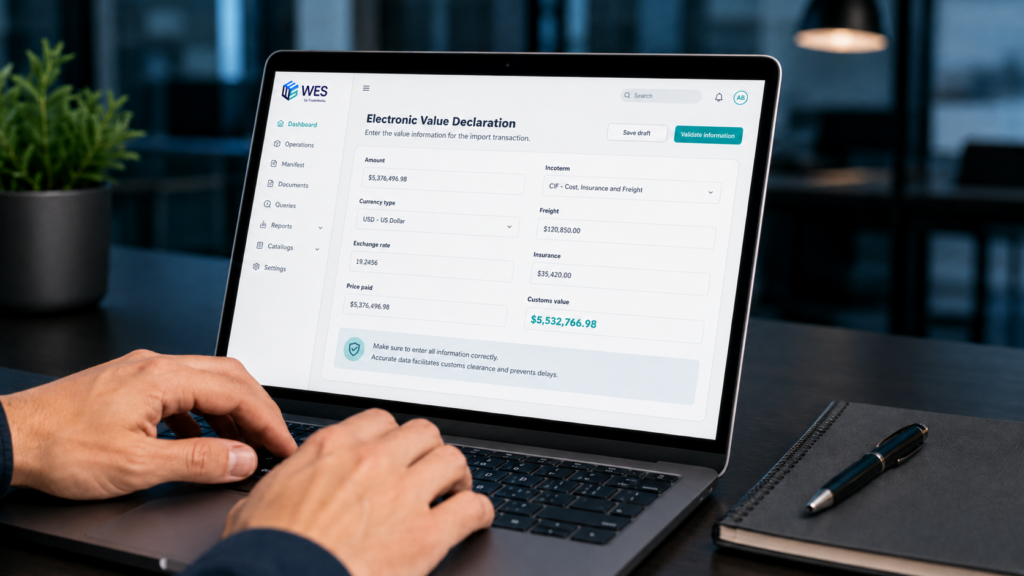
VUCEM Does Not Validate Your Numbers
This is the most important starting point.
Many users assume that entering an amount in foreign currency along with an exchange rate will trigger an automatic conversion to Mexican pesos. It doesn’t. The system does not check whether the amount entered is consistent with the exchange rate declared.
The “Amount” field must contain the value already converted to Mexican pesos. The currency type and exchange rate fields are documentary traceability fields — they tell the tax authority where the number came from, but they do not trigger any calculation.
The same applies to the “Customs Value” summary: you enter the totals manually. If your math is wrong, VUCEM prints it wrong without any warning.
The responsibility for the calculation falls entirely on the importer.
What Currency Goes in the Amount Field?
Mexican pesos, always. This is established in Question 6 of VUCEM’s official FAQ and confirmed by the MVE Data Dictionary for the fields covering price paid, incrementals, and decrementals.
Before entering any amount, you must convert it to pesos first.
Which Exchange Rate Should You Use?
It depends on the currency of your invoice.
If your invoice is in US dollars, you use the USD/MXN exchange rate published in Mexico’s Official Federal Gazette (DOF) on the last business day before the MVE is transmitted.
If your invoice is in euros or any currency other than the US dollar, you cannot use that same rate. Article 20 of Mexico’s Federal Tax Code (CFF) establishes a specific procedure: first convert the currency to dollars using the monthly equivalency table published by Banxico (Mexico’s central bank), then convert those dollars to pesos using the DOF rate. The result is a EUR/MXN factor — or the equivalent for whichever currency applies — and that is the figure you must enter in VUCEM.
Using the dollar exchange rate directly when your invoice is in euros produces an incorrect number. If that error results in a customs value lower than the actual one, that is exactly what the tax authority looks for in customs valuation audits.
What Goes in “Price Paid,” “Price Payable,” and “Payment Offset”?
These three fields cover different ways a payment to the seller can be structured. You only fill in the one that applies to your transaction.
Price paid is what you have already paid the seller for the goods at the time you transmit the MVE. The amount goes in pesos, and it should not include freight, insurance, or other charges covered under Article 65 of the Customs Law — those go in the incrementals section. The date is the actual payment date, not the invoice date.
Price payable is what you owe the seller but have not yet paid. This applies when you transmit the MVE before settling the transaction — for example, in credit purchases or consignment arrangements. This field also requires you to specify when or under what conditions the payment will be made.
Payment offset applies when there is no actual cash flow because the buyer and seller owe each other money and are settling their obligations by offsetting them — essentially a form of barter or debt compensation. This is the least common field in standard commercial transactions.
A single transaction can have both a price paid and a price payable if a partial payment has already been made. What must not happen is declaring the same amount in more than one field.
When Should Incrementals Be Declared Separately Even If They Appear on the Same Invoice?
When they are itemized on the invoice or equivalent document.
Mexico’s Customs Law draws a clear distinction between the price paid for the goods themselves and the charges listed under Article 65 — freight, insurance, packaging, and related costs. These are added to the transaction value precisely because they are not part of the intrinsic value of the goods; they represent the costs of getting the merchandise into Mexican territory. That legal distinction exists regardless of whether the supplier invoices those items together or separately.
If the invoice breaks out those charges, the importer must declare them separately: price paid for the merchandise, and incrementals for the additional charges. Declaring the full invoice total as the price paid and leaving incrementals blank is only correct when the invoice does not itemize those charges — and even then, the authority may question whether they should have been separated.
Consistency between the invoice, the MVE, and the customs entry (pedimento) is what makes the transaction defensible in a review.
What Date Goes in Each Field?
The “date of expenditure” in the incrementals section is the date the payment for that specific charge was made — not the date on the commercial invoice. They may or may not be the same.
For price paid, the date is when the importer actually paid the seller.
If the goods have not been paid for at the time the MVE is transmitted, the amount goes in “price payable,” not “price paid.”
Using the invoice date as a substitute when you don’t have the payment record is a risk: during a tax audit, Mexico’s SAT requests bank statements and wire transfer records to cross-reference dates and amounts.
What the Authority Can Challenge
In a customs valuation audit, the highest-risk areas in the MVE are:
- Incorrect exchange rate for currencies other than the US dollar, resulting in undervaluation.
- Amounts entered in foreign currency instead of pesos.
- Expenditure dates that don’t match payment records.
- Discrepancies between the values declared in the MVE and those in the customs entry.
- Incremental charges that should have been declared separately but were absorbed into the price paid.
VUCEM accepts whatever you enter without rejecting it. The fact that the system processed it does not mean it is correct.
The Right Question to Ask
It’s not enough to ask: Did I submit the MVE?
The right question is: Are the values I declared in Mexican pesos, do they use the correct exchange rate, do they accurately reflect the invoice structure, and are they consistent with the customs entry?
That distinction is what matters when a review comes.
How Can TradeWorks Help?
At TradeWorks, we help importers review the accuracy of their Value Manifests, validate consistency with customs entries, and document the exchange rate conversion methodology used.
An incorrectly filled MVE can lead to tax deficiencies or audit exposure — even if the total customs value appears correct at first glance.
Submitting is not enough. Submitting correctly is what counts.
Schedule a review of your MVEs with TradeWorks before an audit arrives.